Showing posts with label Google Drive. Show all posts

Tuesday, June 8, 2021

Did You Know? How to Organize Shared With Me in Google Drive


In Google Drive there is a section called Shared With Me and this is where files that are not owned by you and have been shared with you by others reside.  When you look at it, it seems to be an unorganized mess and I know I just want to get in there and organize it.  But I have to resist because these are not my files and I can't organize them like I do my own.  Here's a video on how to link these files with a shortcut into folders where you can find them.


Want to learn more about Google Drive?  Check out these resources from KATE.

Hope you're having a great day! 

Tuesday, May 4, 2021

Did You Know? Must-Have Google Drive Skills

Google Drive is an essential part of working with Google. And it's more than just cloud storage.  It's imperative that you know and understand Google Drive as you use the Google tools with your students.  Kasey Bell from Shake Up Learning takes you to the next level with your Google Drive skills and you'll learn a few tips and tricks along the way.


Want to learn more about Google?  Our Google for Level 1 Study Guide has videos and resources to help you build your Google skills at your own pace.  Whether you want to take the certification test or not, if you are working with Google, these skills are essential.  Any time you have questions, KATE is here to help.

Tuesday, April 6, 2021

Did You Know? 13 Tips to Organize Your Google Drive

I really hope that your Google Drive doesn't look like mine!  If it does, then this article is for you!  Learn how to organize your Google Drive like a pro.  And be sure to check out workspaces.  They help you organize files that you are using for a specific project you are working on.  They are mentioned in the attached article, but I've included the KATE video on how to use them as well.


Tuesday, February 16, 2021

Did You Know? How to find "lost" files in Google Drive

Google Drive is an amazing place to store files of all kinds, but when you work in an education environment and save a lot of files over your career, sometimes they can be misplaced temporarily.  It's a good thing that Google knows how to search for things and here's a quick video on how to use the advanced search in Google Drive.


Friday, February 28, 2020

Friday Matinee: Google Drive Tips & Tricks

Google Drive is a great place to store pretty much anything since as educators we have access to unlimited storage, but it can become unwieldy making it hard to find things.  I've attached several videos and some other links with ideas on how to better organize your Google Drive and find what you've saved in it.

Videos:


Helpful Information:

13 Tips to Organize Your Google Drive - Blog post and podcast


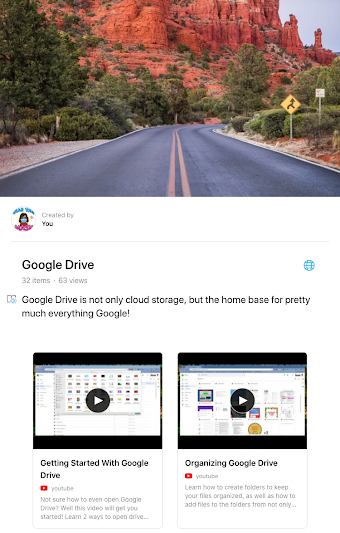
Here's the link to our Google Drive Wakelet, which is filled with lots of great information on Google Drive!

Friday, February 21, 2020

Friday Matinee: Using Shared Drive With Your Colleagues

Using Shared Drive with your team or committee is an important way to share and access documents.  Everything in the shared drive belongs to the team, so if a member of the team leaves, the documents remain.  Need to know more about how it works?  I've attached a video and several other links that I hope will help.  As always, I am here to help if you need anything.

Video:  Google Shared Drives

What are Shared Drives? has some great information for those of you who are new to shared drives and how they are different from your Google Drive.  There are links on this page that will help answer any questions you may have.

Best Practices for Shared Drives has great overview of when to use shared drives and how to use them.  Click on the links in the table of contents to learn more best practices for shared drives.

For most Shared Drives that have been set up for COEHS, there are one or two people who are managers of the drive.  They are the ones who can manage every aspect of the drive.  Others will have different levels of access depending on the way the drive has been set up.

Do you have questions on other aspects of Google Drive?  I have set up a Wakelet with all of the videos that are on our KATE YouTube Channel, as well as other curated resources.  To access this, please go to https://wke.lt/
w/s/t3hmQT
.