Friday, September 3, 2021
Friday Matinee: Are College Students Comfortable Using Edtech?
Friday, September 11, 2020
Friday Matinee: Using EDpuzzle to Improve Video Engagement
Want to know who watched a video you posted as an assignment? EDpuzzle is an online program that allows you to create interactive video lessons by embedding questions and comments into videos from YouTube, Khan Academy, National Geographic, TED Talks, and more. When these videos are assigned through EDpuzzle, you can see how much time a student spent on the video and how well they did on the questions. It even gives you superpowers that prevent your students from skipping right to the questions!
Friday, May 15, 2020
Friday Matinee: Ways to Make Online Learning More Engaging
Friday, May 8, 2020
Friday Matinee: Some Advice for Newly Remote Instructors
Friday, May 1, 2020
Friday Matinee: Choice Boards & Learning Menus
Choice Boards are a great way to give your students some choice in how they will complete an assignment. Some of our students may excel at creating a Google Site, where another student would rather create a video or write a paper. Some may want to watch a video on the topic and others would prefer to read a chapter in a book. Choice Boards let us differentiate our assignments and engage our students at where they are. During these times when we are all teaching online, we as teachers need to create the best learning experiences possible that will keep our students attention, maintain a positive attitude, and keep them committed to doing their best job possible.
Here's a 3 part mini "course" that is entitled "The Ultimate Guide to Choice Boards and Learning Menus" by AJ Juliani. He talks about why Choice Boards are important, especially now, describes a step-by-step process for creating them, and gives examples of choice boards in action. This was written for K-12, but can easily be modified for your teaching here at MSU. It's easy to use Google Docs or Slides (or Word or PowerPoint) to create these menus for your students.
Choice boards are perfect for online learning, student choice, and differentiation. Here's what Kasey Bell of Shake Up Learning says about choice boards/learning menus:
What is a Choice Board?
IT’S ALL ABOUT CHOICE!
- Choice boards are a form of differentiated learning that gives students a menu or choice of learning activities.
- Learning menus and choice boards can be created in a variety of styles and mediums.
- They’ve been around for a long time and originated in a static, paper format.
- With digital tools, we can bring the menus to life with interactivity and creation.
I've added several examples of choice boards below. Have a favorite? Share it with us!
Friday, March 13, 2020
Friday Matinee: Resources for Teaching Online
Friday, February 21, 2020
Friday Matinee: Using Shared Drive With Your Colleagues
Using Shared Drive with your team or committee is an important way to share and access documents. Everything in the shared drive belongs to the team, so if a member of the team leaves, the documents remain. Need to know more about how it works? I've attached a video and several other links that I hope will help. As always, I am here to help if you need anything.
Video: Google Shared Drives
What are Shared Drives? has some great information for those of you who are new to shared drives and how they are different from your Google Drive. There are links on this page that will help answer any questions you may have.
Best Practices for Shared Drives has great overview of when to use shared drives and how to use them. Click on the links in the table of contents to learn more best practices for shared drives.
For most Shared Drives that have been set up for COEHS, there are one or two people who are managers of the drive. They are the ones who can manage every aspect of the drive. Others will have different levels of access depending on the way the drive has been set up.
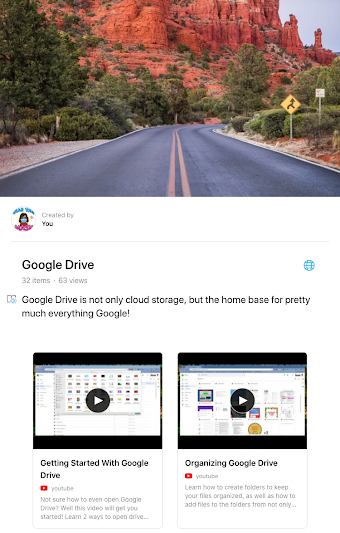
Do you have questions on other aspects of Google Drive? I have set up a Wakelet with all of the videos that are on our KATE YouTube Channel, as well as other curated resources. To access this, please go to https://wke.lt/
w/s/t3hmQT.
Friday, February 7, 2020
Friday Matinee: Should You be Using Technology?
Do you wonder if you should be using technology with your students when you teach? Recently, Matt Miller from Ditch That Textbook (remember him from The Summit last summer?) put out a blog post with 10 things to consider before adding technology to a lesson or assignment. As you read the post, keep in mind that it's not about the tech itself, but if the tech will improve your lesson and the learning outcomes.