Friday, April 24, 2020

Friday Matinee: Google Slides Discussion on Using Google Meet in the Classroom

As many of you know, I've been teaching our students how to use Google and one of the things I had them do this semester was to come up with a way to use Hangouts Meet in their future classroom.  The way I did this was to share a Google Slide deck with a directions slide and another slide that I called the student slide that was set up for them to add their name and their response.  We sometimes call this collaboration slides.  Here is the file that I shared and their responses:


This activity can be used in any class and on pretty much any topic where you want students to discuss something and comment on each other's input.  It works very well as an online discussion board and can be easily changed as the topic changes. 

I'm adding a template that includes a basic set of directions and an additional student slide.  These are the only 2 slides available in the slide deck.


To use this, go to FILE then choose MAKE A COPY and copy the entire slide presentation.  This makes it yours to use.  I would keep this as your master and make a copy of it every time you use it for a discussion.

You can edit the slide with different backgrounds and text.  Here's a video on how to do that:


Friday, March 13, 2020

Friday Matinee: Resources for Teaching Online

This was shared by a professor that we follow on Twitter.  It is a podcast with a lot of resources for teaching online.  Some things may not apply, but there's a lot of great information that is provided.  Torrey Trust, who is interviewed on the podcast (there are several links and a great slide deck shared as well) is a professor and past president if the ISTE (International Society for Technology in Education) Teacher Educator Network and an Associate Professor of Learning Technology at the University of Massachusetts Amherst.


Kasey Bell from Shake Up Learning, did an interview with a teacher who has been teaching online since leaving China where she taught at an international school and she shares tips, tools, and best practices for this special situation.  She mentions that closing for the Corona virus is different than closing for a few snow days especially with the added stress and emotions that everyone is experiencing.


Keep in mind that a lot of companies are opening up their wonderful resources for free to schools, but we don't need to be throwing a lot of new tools at students during this time. Use one or two that they are familiar with and leave it at that.

Friday, March 6, 2020

Friday Matinee: Appointment Slots in Google Calendar

Appointment slots in Google Calendar can be really helpful with scheduling appointments with your students.  You set up the time slots then send a link to your students so that they can choose the best time to meet with you.  Once this time is taken, no other student can choose the same time.  KATE has met with some of you on this, but we felt that sharing our video and other resources would be helpful for everyone. 


Here's a video on how to create appointment slots in Google Calendar.

Once you've created the link, students can find any appointment you've created using the same link.  Remember that you have to be in week or day view in your calendar to create these slots.
I've added a PDF that you can print with step by step instructions below.  Click on the file to open it.


Friday, February 28, 2020

Friday Matinee: Google Drive Tips & Tricks

Google Drive is a great place to store pretty much anything since as educators we have access to unlimited storage, but it can become unwieldy making it hard to find things.  I've attached several videos and some other links with ideas on how to better organize your Google Drive and find what you've saved in it.

Videos:


Helpful Information:

13 Tips to Organize Your Google Drive - Blog post and podcast


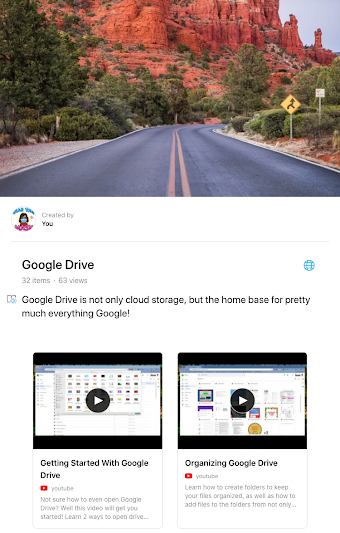
Here's the link to our Google Drive Wakelet, which is filled with lots of great information on Google Drive!

Friday, February 21, 2020

Friday Matinee: Using Shared Drive With Your Colleagues

Using Shared Drive with your team or committee is an important way to share and access documents.  Everything in the shared drive belongs to the team, so if a member of the team leaves, the documents remain.  Need to know more about how it works?  I've attached a video and several other links that I hope will help.  As always, I am here to help if you need anything.

Video:  Google Shared Drives

What are Shared Drives? has some great information for those of you who are new to shared drives and how they are different from your Google Drive.  There are links on this page that will help answer any questions you may have.

Best Practices for Shared Drives has great overview of when to use shared drives and how to use them.  Click on the links in the table of contents to learn more best practices for shared drives.

For most Shared Drives that have been set up for COEHS, there are one or two people who are managers of the drive.  They are the ones who can manage every aspect of the drive.  Others will have different levels of access depending on the way the drive has been set up.

Do you have questions on other aspects of Google Drive?  I have set up a Wakelet with all of the videos that are on our KATE YouTube Channel, as well as other curated resources.  To access this, please go to https://wke.lt/
w/s/t3hmQT
.

Friday, February 14, 2020

Friday Matinee: Learning for All Conference Resources

Last week The Friday Institute at North Carolina State University held the Learning for All Online Conference with many wonderful educators presenting on a variety of topics including innovation, collaboration, blended learning, and more with the intention of bringing great learning experiences to all students.  They have shared a document with links to the recorded presentations and resources, although some links will be added shortly.  Feel free to browse through the presentations and watch the videos that you feel will benefit you as a classroom teacher and try a few that just sound interesting.  I have watched 3 so far and am looking forward to watching more!


Friday, February 7, 2020

Friday Matinee: Should You be Using Technology?

Image of person thinking with computer in speech bubble

Do you wonder if you should be using technology with your students when you teach?  Recently, Matt Miller from Ditch That Textbook (remember him from The Summit last summer?) put out a blog post with 10 things to consider before adding technology to a lesson or assignment.  As you read the post, keep in mind that it's not about the tech itself, but if the tech will improve your lesson and the learning outcomes.