Friday, February 28, 2020

Friday Matinee: Google Drive Tips & Tricks

Google Drive is a great place to store pretty much anything since as educators we have access to unlimited storage, but it can become unwieldy making it hard to find things.  I've attached several videos and some other links with ideas on how to better organize your Google Drive and find what you've saved in it.

Videos:


Helpful Information:

13 Tips to Organize Your Google Drive - Blog post and podcast


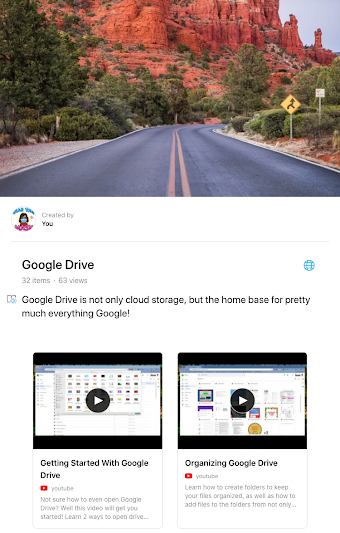
Here's the link to our Google Drive Wakelet, which is filled with lots of great information on Google Drive!

Friday, February 21, 2020

Friday Matinee: Using Shared Drive With Your Colleagues

Using Shared Drive with your team or committee is an important way to share and access documents.  Everything in the shared drive belongs to the team, so if a member of the team leaves, the documents remain.  Need to know more about how it works?  I've attached a video and several other links that I hope will help.  As always, I am here to help if you need anything.

Video:  Google Shared Drives

What are Shared Drives? has some great information for those of you who are new to shared drives and how they are different from your Google Drive.  There are links on this page that will help answer any questions you may have.

Best Practices for Shared Drives has great overview of when to use shared drives and how to use them.  Click on the links in the table of contents to learn more best practices for shared drives.

For most Shared Drives that have been set up for COEHS, there are one or two people who are managers of the drive.  They are the ones who can manage every aspect of the drive.  Others will have different levels of access depending on the way the drive has been set up.

Do you have questions on other aspects of Google Drive?  I have set up a Wakelet with all of the videos that are on our KATE YouTube Channel, as well as other curated resources.  To access this, please go to https://wke.lt/
w/s/t3hmQT
.

Friday, February 14, 2020

Friday Matinee: Learning for All Conference Resources

Last week The Friday Institute at North Carolina State University held the Learning for All Online Conference with many wonderful educators presenting on a variety of topics including innovation, collaboration, blended learning, and more with the intention of bringing great learning experiences to all students.  They have shared a document with links to the recorded presentations and resources, although some links will be added shortly.  Feel free to browse through the presentations and watch the videos that you feel will benefit you as a classroom teacher and try a few that just sound interesting.  I have watched 3 so far and am looking forward to watching more!


Friday, February 7, 2020

Friday Matinee: Should You be Using Technology?

Image of person thinking with computer in speech bubble

Do you wonder if you should be using technology with your students when you teach?  Recently, Matt Miller from Ditch That Textbook (remember him from The Summit last summer?) put out a blog post with 10 things to consider before adding technology to a lesson or assignment.  As you read the post, keep in mind that it's not about the tech itself, but if the tech will improve your lesson and the learning outcomes.


Friday, January 31, 2020

Friday Matinee: ISTE Student Standards

Today we are sharing a playlist of videos from ISTE (International Society for Technology in Education).  These were created to help teachers understand the Student Standards that "were designed to empower student voice and ensure that learning is a student-driven process, as well as prepare them to thrive in a constantly evolving technological landscape."  The videos help show us what these standards look like in the classroom.  Just because the standards were created for K-12 schools doesn't mean that they shouldn't apply to our education students here at Murray State.  Take a look at the standards and the videos, most of which are under 2 minutes.

Graphic of ISTE Student Standars


Friday, January 18, 2019

Friday Matinee: Using Collaboration Slides in Your Classroom

Welcome back and I hope the semester is off to a good start.  I wanted to share with you a way to create a collaborative template that can be used in many ways with your classes.  We demonstrate it with Google Slides, but you should be able to do the same thing in PowerPoint.

The video will show you how to create 2 master slides, one will have your directions on it and the other will be the slide that the students will add to share their answer.  Once students have answered their question on their slide, they can then read and comment on other students slides.  This is great for discussions, for a quick assessment to make sure your students got what you discussed in class, or even to review for a test.  Once you have done this, you can make a copy of the file, quickly edit it, and used it again.  Be sure to give your students editing access to the file so that they can add their slide and comment on others.

The video will start part way in at the point where I discuss this method.


This file will show you how students responded after reading 3 articles on teaching remotely.  We recommend that once you've created this file, that you call this your template or master and make a copy of it each time you want to use it.  That way you'll always have your template that is blank.


Tuesday, March 28, 2017

I Have Some Money for a Makerspace. Now What?

Guest post by:  Heidi Neltner | Instructional Technology Specialist, Certified Librarian
FORT THOMAS INDEPENDENT SCHOOLS


I’ve been primarily working with elementary on the makerspace format for the last 4-5 years.  I would say the first thing you might think to do before buying anything is conduct a needs assessment see what is lacking for the kids and consider the kind of programming you might implement to help fill needs.  (we needed some tools to support NGSS so I started with Legos and Snap Circuits, then branched out from there.)  Also consider your school’s mission and vision and the CSIP.  Tying purchases and plans to those things goes really far in giving your movement credibility.

You might talk to teachers you consider to have an innovative mindset and ask them what they would need to support really taking kids to new places in thought and practice.  Look to see what kinds of projects get done each year and things that might support those projects – (for example if kids are making a lot of displays, maybe a circuit machine would be a good addition).   

I would also check in with the kids to see what they feel like they’re missing.  It might be that students need space to collaborate, so large white boards or writable surfaces would serve you well; or kids might need a place to make really good resumes, so workstations with tutorials on how to use sites like Canva to build really impressive, visual resumes might help.  Or kids might just be really stressed out and need a place to relax and work together on cool projects like collaborative art that could be donated.

If reaching out to teachers and students to find out what they need seems too time consuming for your timeline, another approach would be to establish a theme for next year and base your purchases around that theme.  For example you might consider a theme that includes the word “light” then you could focus on purchasing things and organizing events that would allow students to do things like create wearable LED projects, or your theme might have something to do with “bringing ideas to life” and center your purchases around things that would allow kids to create videos or cartoons (green screens, iPads for easy editing) or you could have a totally different view on that and buy kits that would allow kids to grow things and create green spaces in your school.

I do have some resources and suggestions here that might spark some better ideas: http://learninprogress.blogspot.com/2015/09/makerspace-on-budget.html

Ultimately whatever you purchase, it helps to have a general plan for how you want to use it and programming you might do with it – try to sketch out a rough calendar of how you would implement or use the items, or make a list of teachers you might reach out to for collaboration ideas, so you feel good about whatever you purchase.